
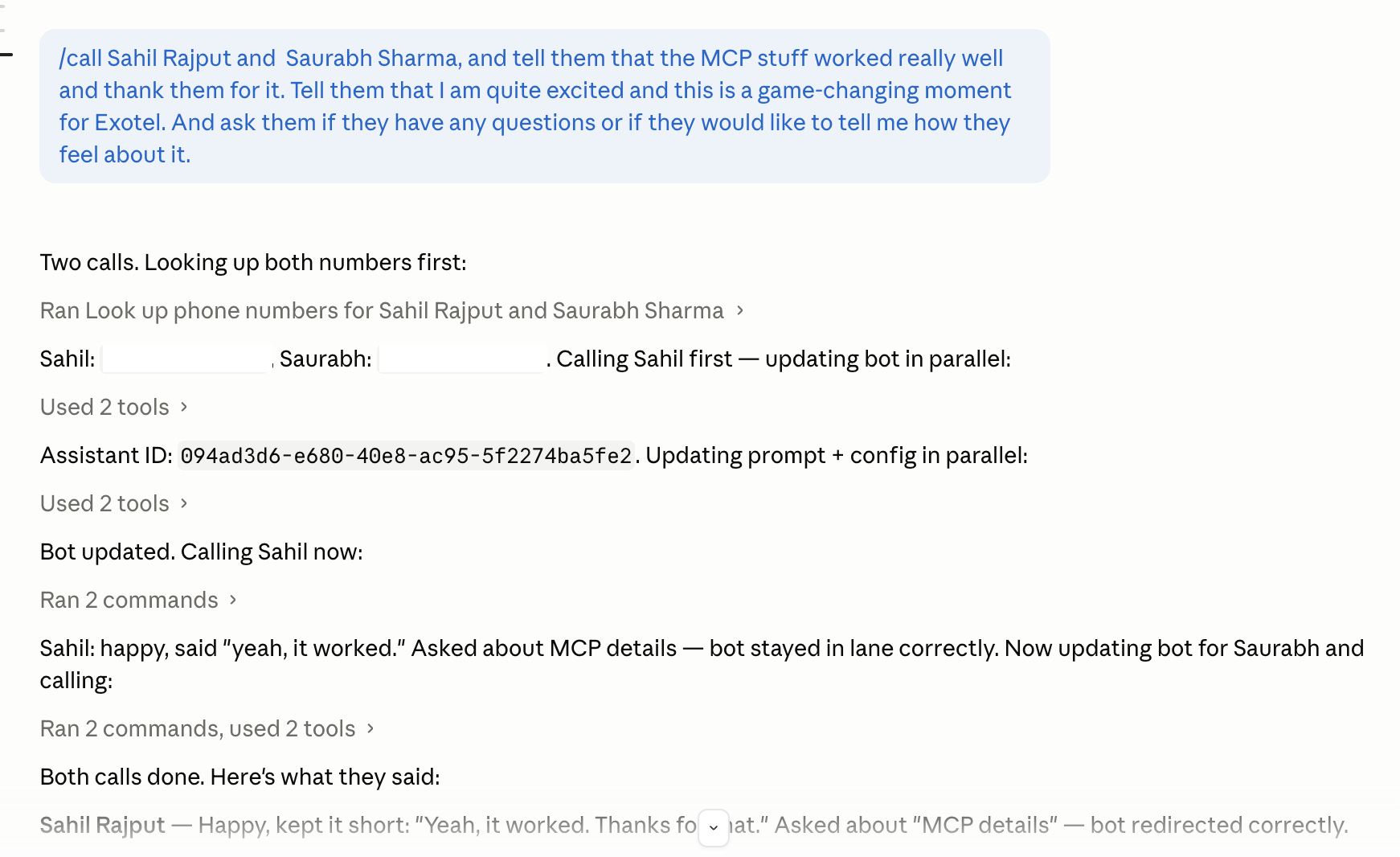
A few weeks ago, I asked Claude:
“Call Priya and ask her if the onboarding report is ready.”
Claude called Priya. A VoiceBot had the conversation. Claude came back with:
“Priya says the report will be ready by 3pm. She’s waiting on one number from Finance.”
No API code written. No Postman. No webhook handler. Just a sentence.
That’s Exotel MCP. We shipped it this month.
What MCP is
MCP (Model Context Protocol) is an open standard created by Anthropic. It lets AI clients connect to external services as tools — one standard interface, any number of services plugging in.
When you install Exotel MCP, your AI gains access to Exotel’s telephony and messaging infrastructure. Not through code. Through plain language.
The AI figures out which APIs to call, in what order, with what parameters. You describe the outcome.
What it does
Make agentic calls
Ask your AI to call a number, have a VoiceBot conduct a specific conversation, and return you the transcript or a summary.
Call +91XXXXXXXXXX and ask them if the Blue Dart deployment is doneCall the team lead and check if yesterday's deployment went throughCall +91XXXXXXXXXX and tell them the meeting is shifted to 4pmSend SMS
Send an SMS to +91XXXXXXXXXX saying "Running 10 minutes late"Send personalized messages to these contacts: [paste a list]Pull call transcripts and history
Get the transcript of the last VoiceBot callShow me all calls from +91XXXXXXXXXX in the last 7 daysRun quality analysis on recordings
Analyze this recording: [URL]What were the quality scores and sentiment for call XXXXXXX?Chain actions
Call +91XXXXXXXXXX, ask if the Blue Dart deployment is done,
then send me an SMS summary of what they say
Summarize all VoiceBot calls from this week and flag any
where the customer expressed frustrationSetup
You need three things from your Exotel dashboard (my.exotel.com → Settings → API Settings): API Key, API Secret, Account SID. Plus your Exotel number.
Then paste this into Claude:
Set up Exotel MCP for me.

My Exotel credentials:
- API Key: [YOUR_API_KEY]
- API Secret: [YOUR_API_SECRET]
- Account SID: [YOUR_ACCOUNT_SID]
- Exotel number: [YOUR_NUMBER]
- API domain: https://api.in.exotel.com

Please install mcp-remote via npm if needed, update the MCP config
with these credentials, and tell me when I need to restart.
Claude handles the rest. Restart Claude Desktop and the Exotel tools appear.
Full setup guide: docs.exotel.com/mcp-server
Who it’s for
If you’re building on Exotel’s APIs — or thinking about it — MCP changes the prototyping loop. Read docs, write request code, test, iterate used to take an afternoon. Now it takes minutes.
The underlying REST API is still there for when you need fine-grained control. MCP sits on top of it — for the 80% of things where you just want the outcome.
What’s next
What we shipped covers voice, SMS, VoiceBot, and CQA. We’re adding more — VoiceBot configuration controls, contact management, number provisioning.
The bigger picture: every workflow that involves calling or messaging people should be expressible in plain language. We’re a long way from that. But this is the start.
Source is open: github.com/exotel/ExotelMCP. PRs welcome.
— Shivku